Take the following steps only when you want to enable RDMA for the cluster.
Select an ESXi host and choose Configure > Networking > Virtual switches > ADD NETWORKING. In the pop-up Add Networking dialog box, select Virtual Machine Port Group for a Standard Switch.
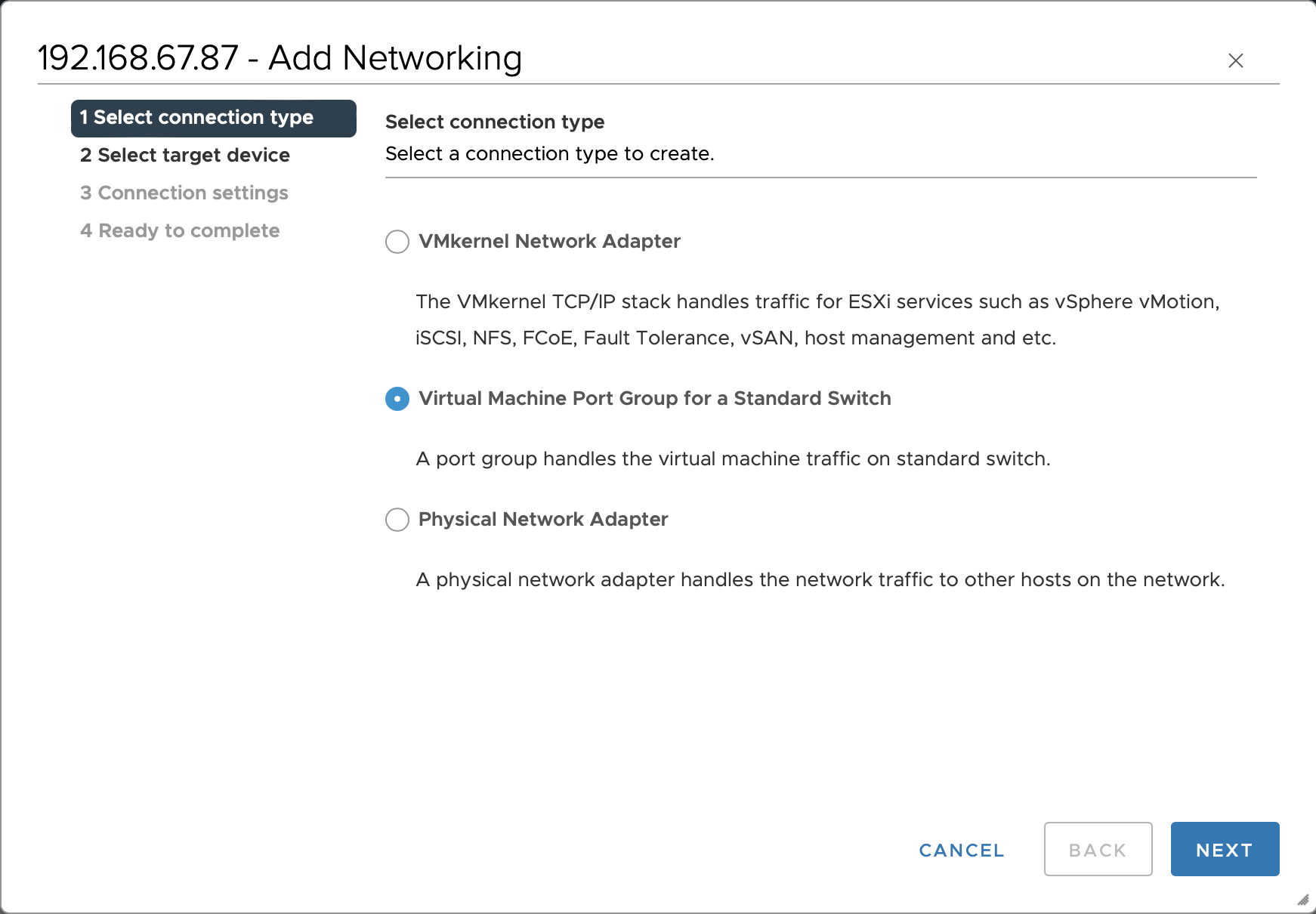
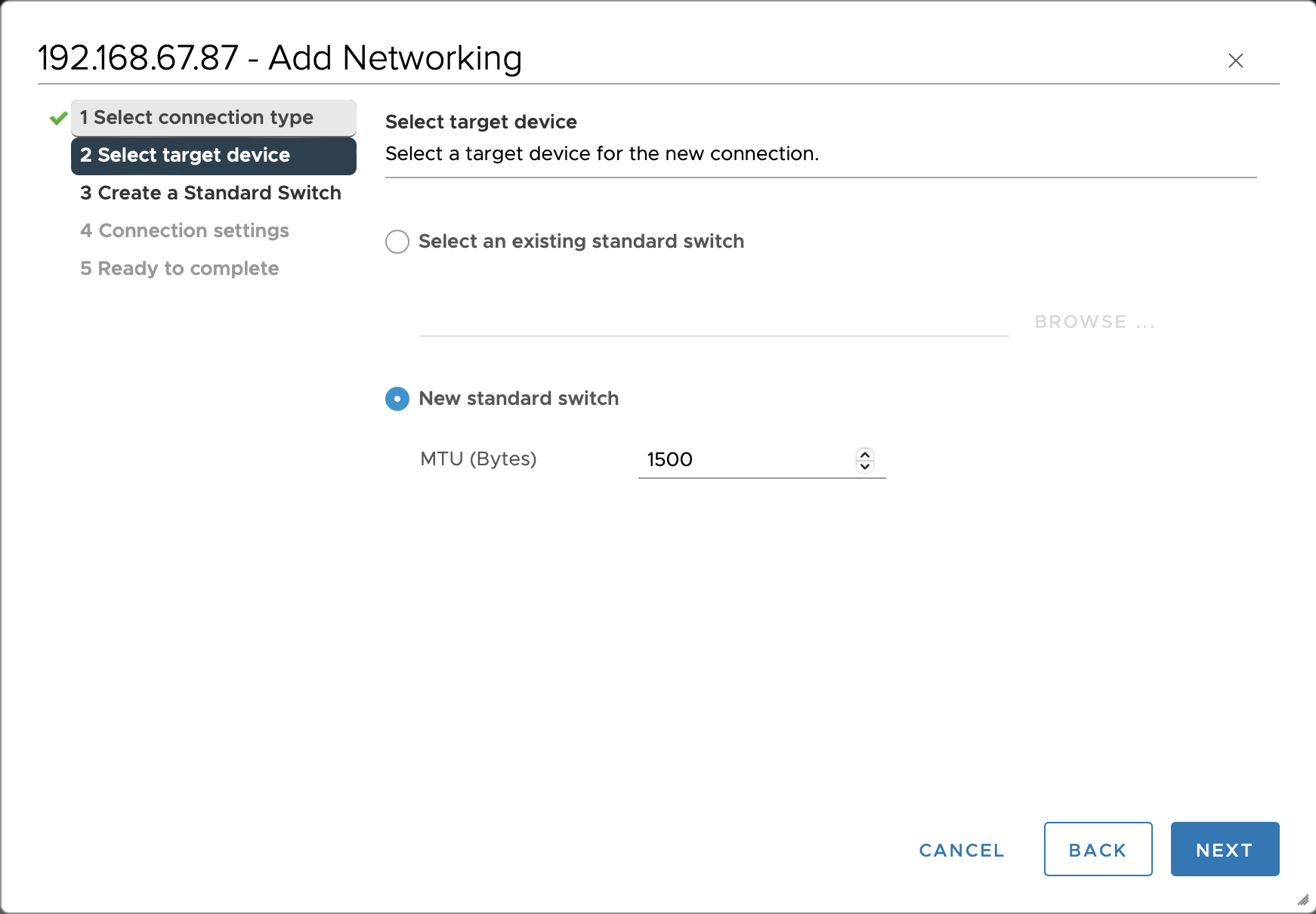
Follow the prompts on the Add Networking page, click NEXT to enter the Select target device page, and select New standard switch.
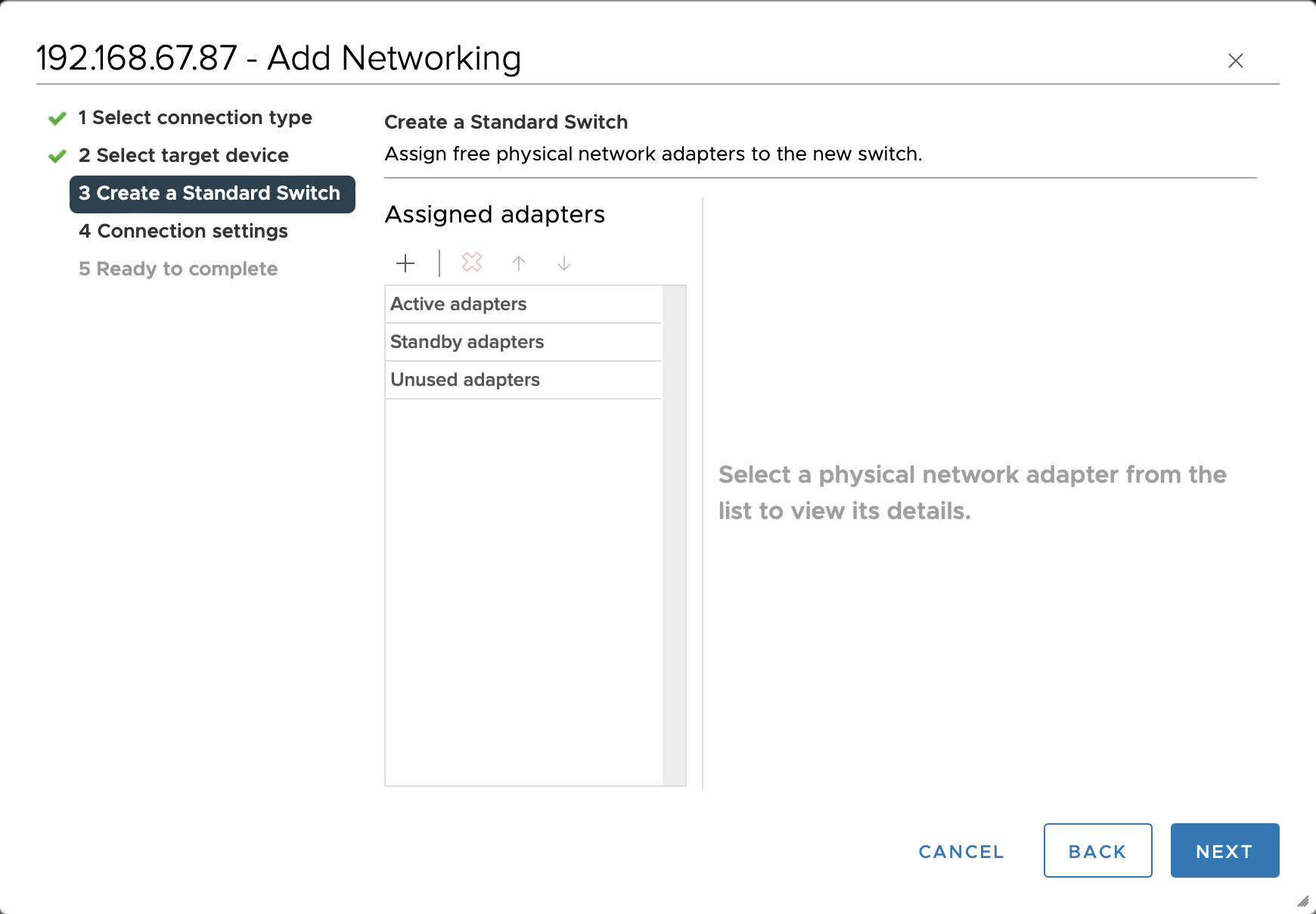
On the Create a Standard Switch page, click NEXT. A warning message will pop up. Click OK to proceed.
Note:
The RDMA network sends and receives traffic through the SR-IOV virtual function (VF), so there is no need to configure a network adapter.
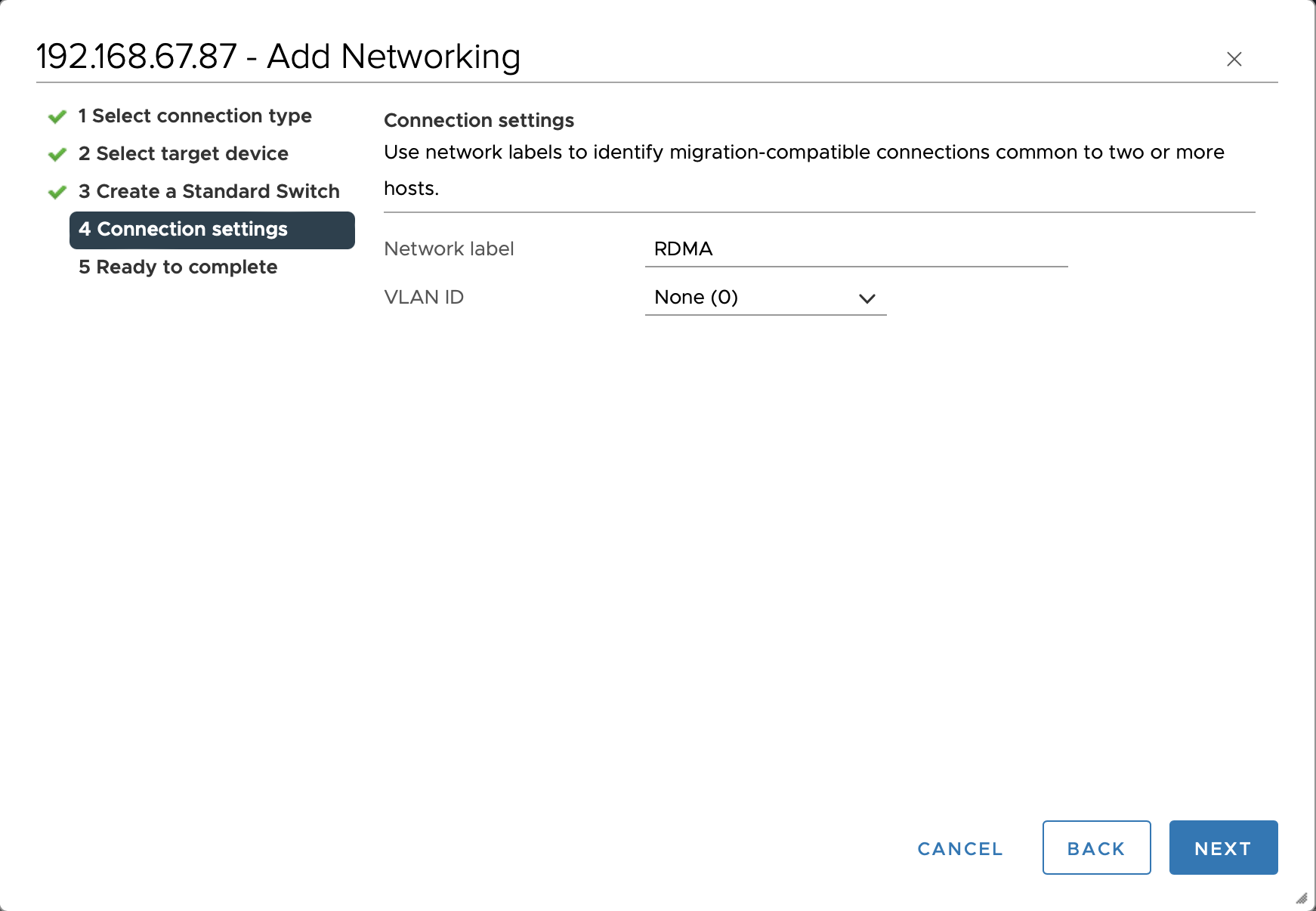
In the Connection settings options, set Network label to RDMA. Click NEXT to continue with the remaining configuration.
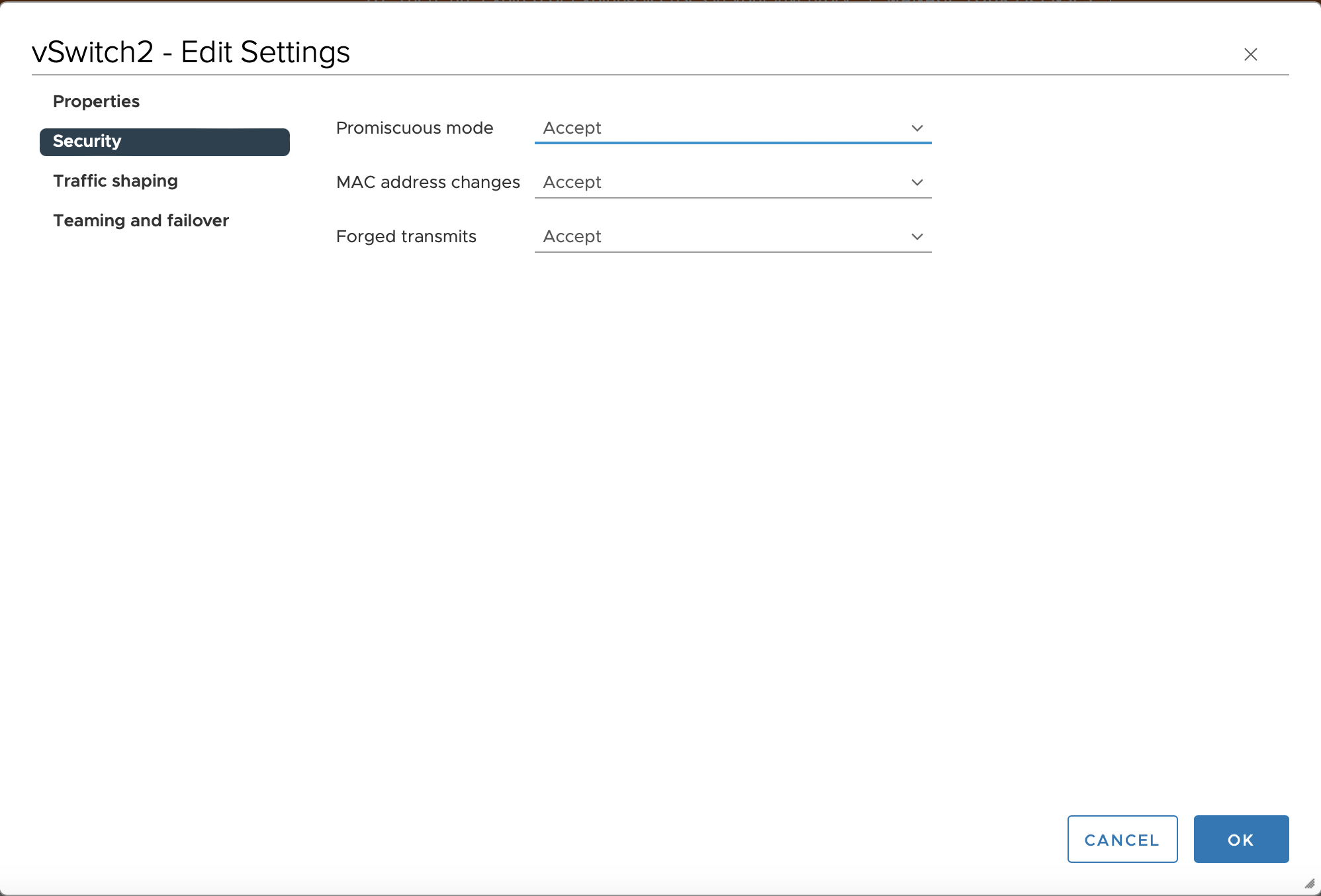
Edit the virtual switch. In the Security options, change the Promiscuous mode from Reject to Accept, and change the Forged transmits from Reject to Accept.