NFS volumes created in an ACOS cluster can be mounted to ESXi hosts for storage. The built-in NFS client in ESXi hosts can access NFS volumes using the NFS protocol over TCP/IP.
On the cluster page of AOC, click + Create in the upper right corner and select Create NFS export. The Create NFS export dialog box will appear.
Enter the name for the NFS export and set the storage policy, as well as access restrictions and other relevant information. Click Create.
Add a datastore to the ESXi host.
Connect to vCenter using the VMware vSphere Web Client and navigate to the ACOS cluster.
Right-click the cluster and select Storage > New Datastore. In the pop-up New Datastore dialog box, specify the storage type as NFS and click NEXT.
Set the NFS version to NFS 3 and click NEXT.
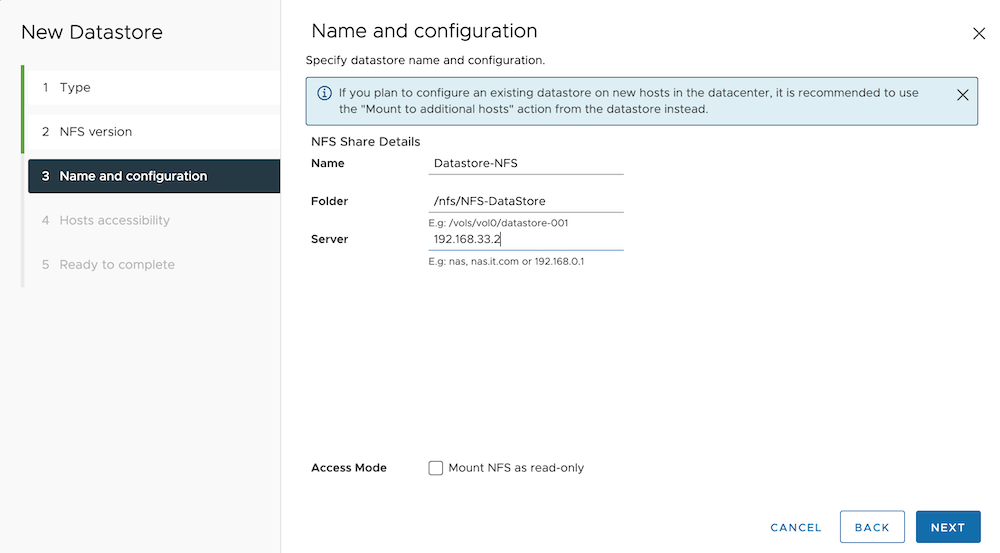
Enter the datastore name, the folder name of the NFS storage, and the NFS server IP address. Click NEXT.
Information:
- The folder name for the NFS storage must be set to
/nfs/*, where*represents the name of the NFS storage created in AOC.- The server IP address must be the fixed NFS server IP address
192.168.33.2.
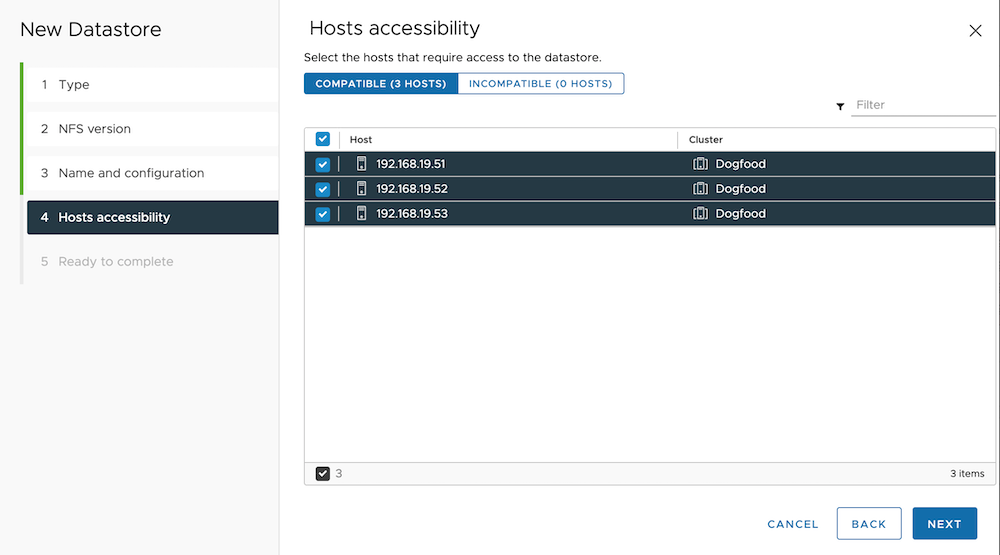
In the Hosts accessibility list, select all hosts, mount the datastore to all hosts in the cluster, and click NEXT.
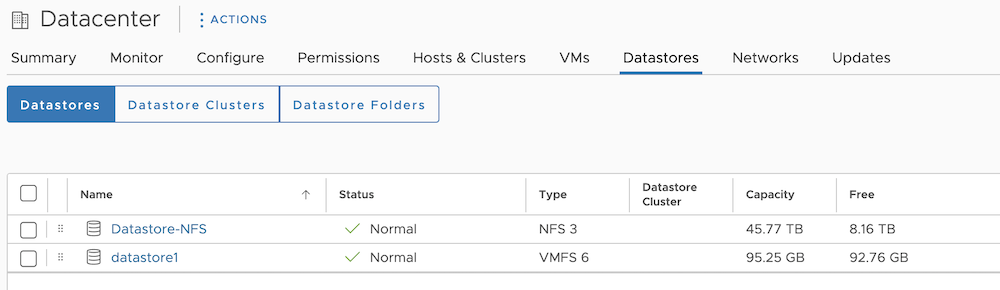
Click FINISH. In the Datastores tab of the cluster, confirm that the NFS storage has been successfully mounted.
If the ESXi version of the host is 8.0 U2 or later, run the esxcli storage nfs firewall add --ip-mask 192.168.33.2/24 command in the ESXi system to manually add a firewall rule.
