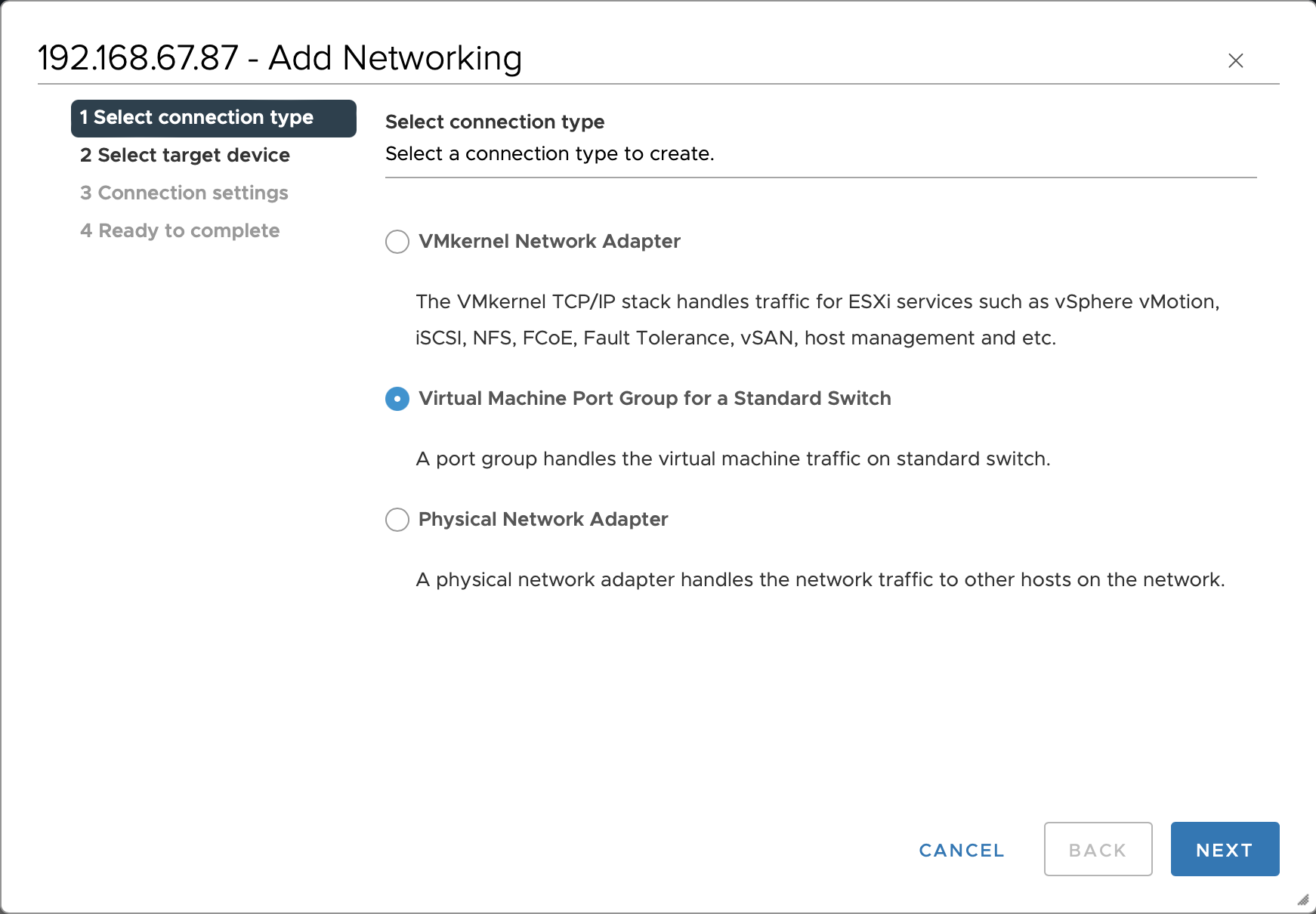
Select an ESXi host and choose Configure > Networking > Virtual switches > ADD NETWORKING. In the pop-up Add Networking dialog box, select Virtual Machine Port Group for a Standard Switch, then click NEXT.
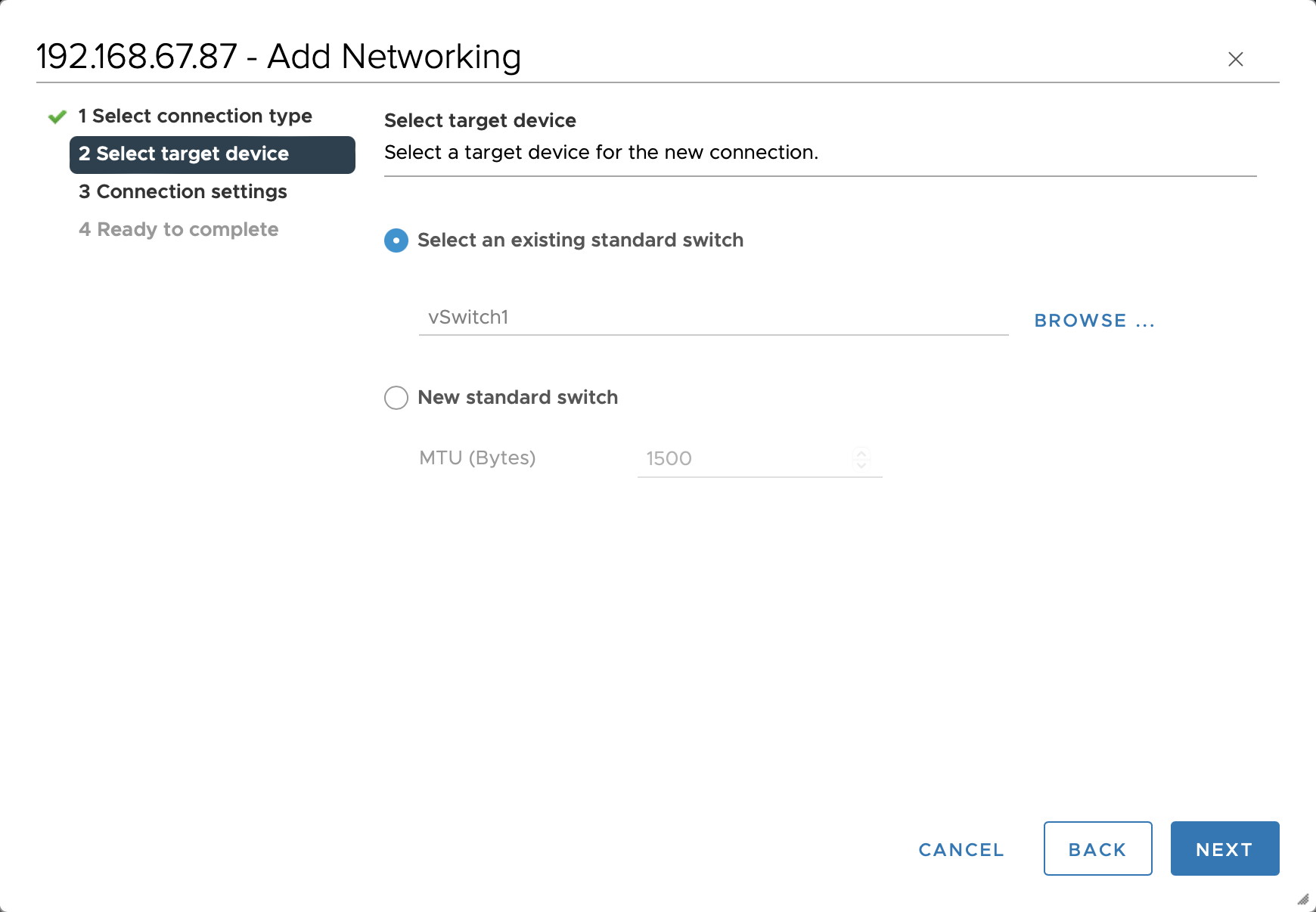
Select the target device. Select Select an existing standard switch, select the storage network virtual switch, and then click NEXT.
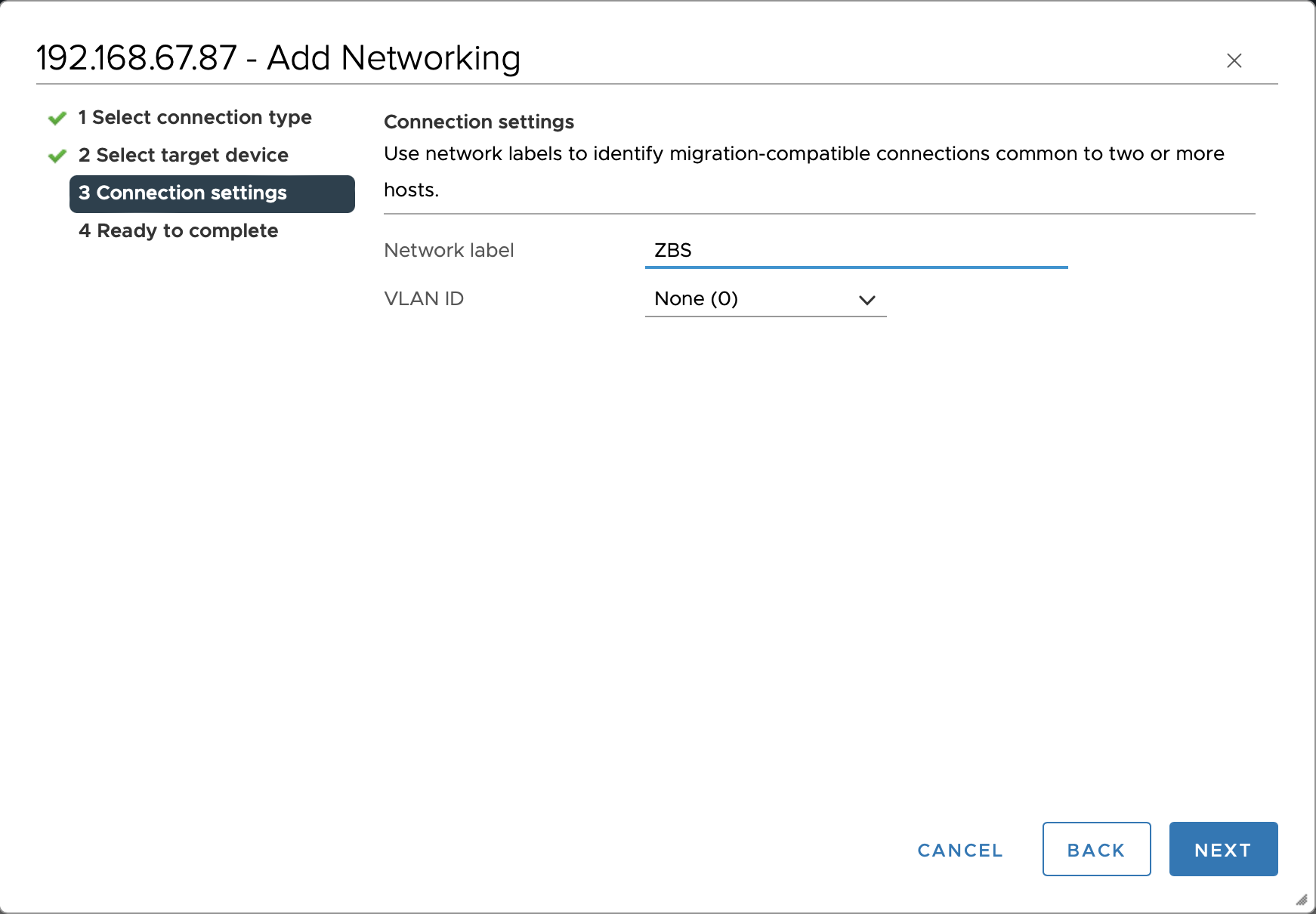
Set up the connection. Set Network label to ZBS and click NEXT to continue with the remaining configuration.
Note:
You must set the Network label of the storage network virtual machine port group to ZBS. Otherwise, it will affect the installation and use of other system functions, such as the deployment of advanced monitoring.
Next steps
To enable RDMA for the cluster, you also need to create a standard switch for the RDMA network.
