Take the following steps only when two physical network adapters are assigned to the standard switch for the storage network.
Procedure
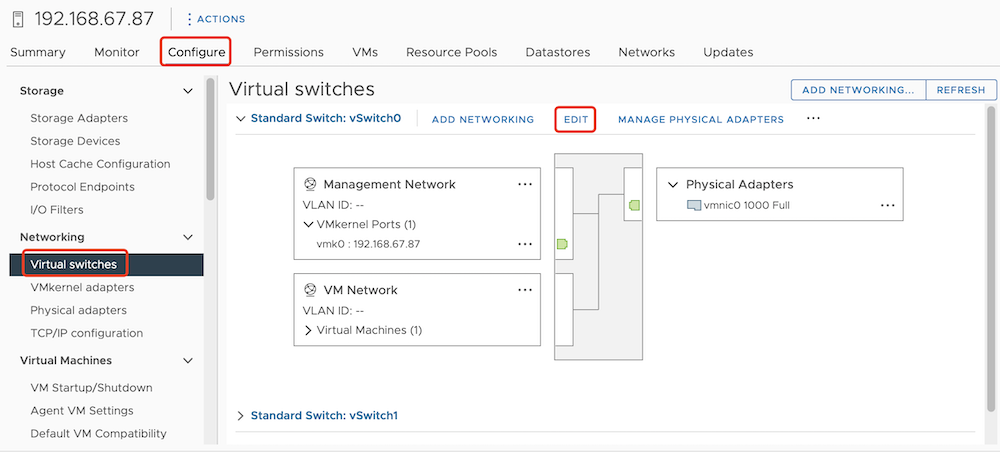
Select an ESXi host and choose Configure > Networking > Virtual switches > EDIT. The Edit Settings dialog box for the standard switch will appear.
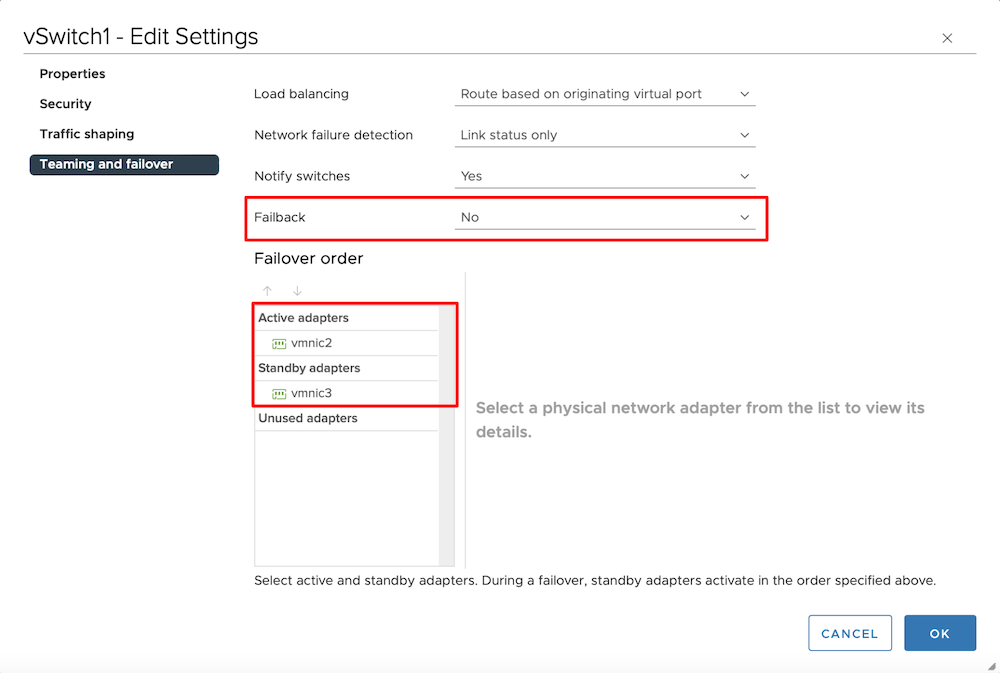
Select the Teaming and failover tab, set the two physical network adapters to active and standby mode in the Failover order area, and set the Failback option to No.
Click OK.
