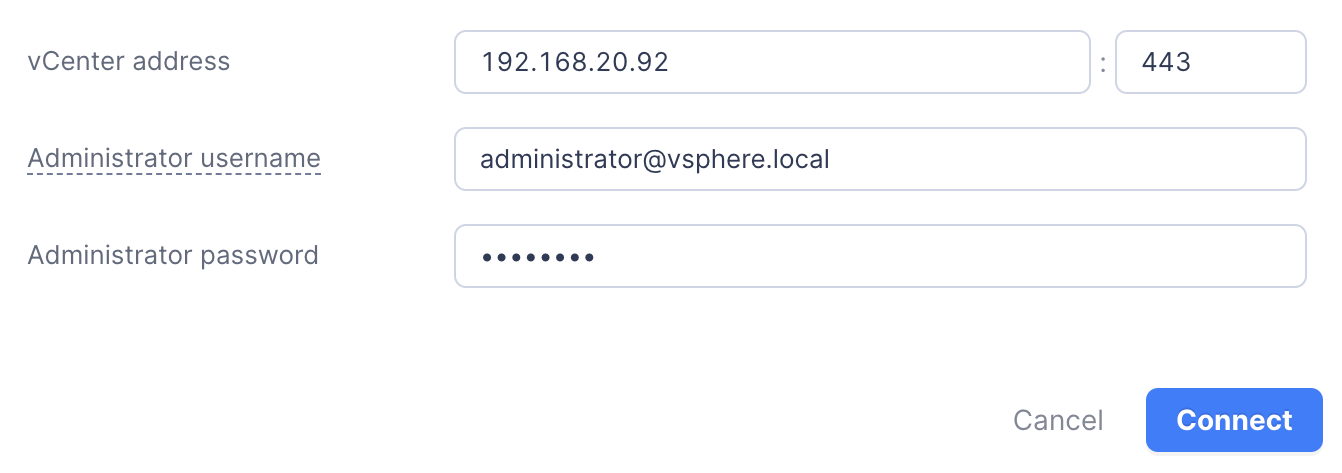
To ensure that the ACOS cluster can successfully obtain the ESXi host information and that you can deploy advanced monitoring for the cluster, you need to associate ACOS with vCenter in AOC.
Prerequisite
All ESXi hosts in the ACOS cluster must have been added to vCenter cluster. The structure of the vCenter inventory must be as follows: vCenter -> Data center -> Cluster -> ESXi host.
If the current ESXi host is not managed by vCenter Server, refer to the Deployment > Deploying an Arcfra Cloud Operating System cluster > Using VMware ESXi > Managing ESXi hosts using vCenter Server section for further instructions.
Procedure
In the left sidebar of the AOC homepage, select an ACOS cluster. In the cluster page on the right, select Settings from the tab bar and choose vCenter Server under Hypervisor to enter the Association status page.
Enter the vCenter address, port number, administrator username, and password, then click Connect. Once the system authentication is passed, a prompt will appear indicating that the association with vCenter is successful.