When deploying system networks, you can select one VDS for one system network mode or one VDS for multiple system networks mode. The main difference between the two modes is whether multiple system networks share the same virtual distributed switch (VDS).
One VDS for one system network means that each ACOS system network exclusively uses one VDS. During ACOS deployment, administrators must create one VDS for the management network and one VDS for the storage network. After deployment, if the access network and migration network are required, administrators must create their own VDSs.
In one VDS for one system network mode, different types of system networks cannot share physical network ports. Therefore, when creating VDSs for different system networks, administrators must bind different physical network ports.
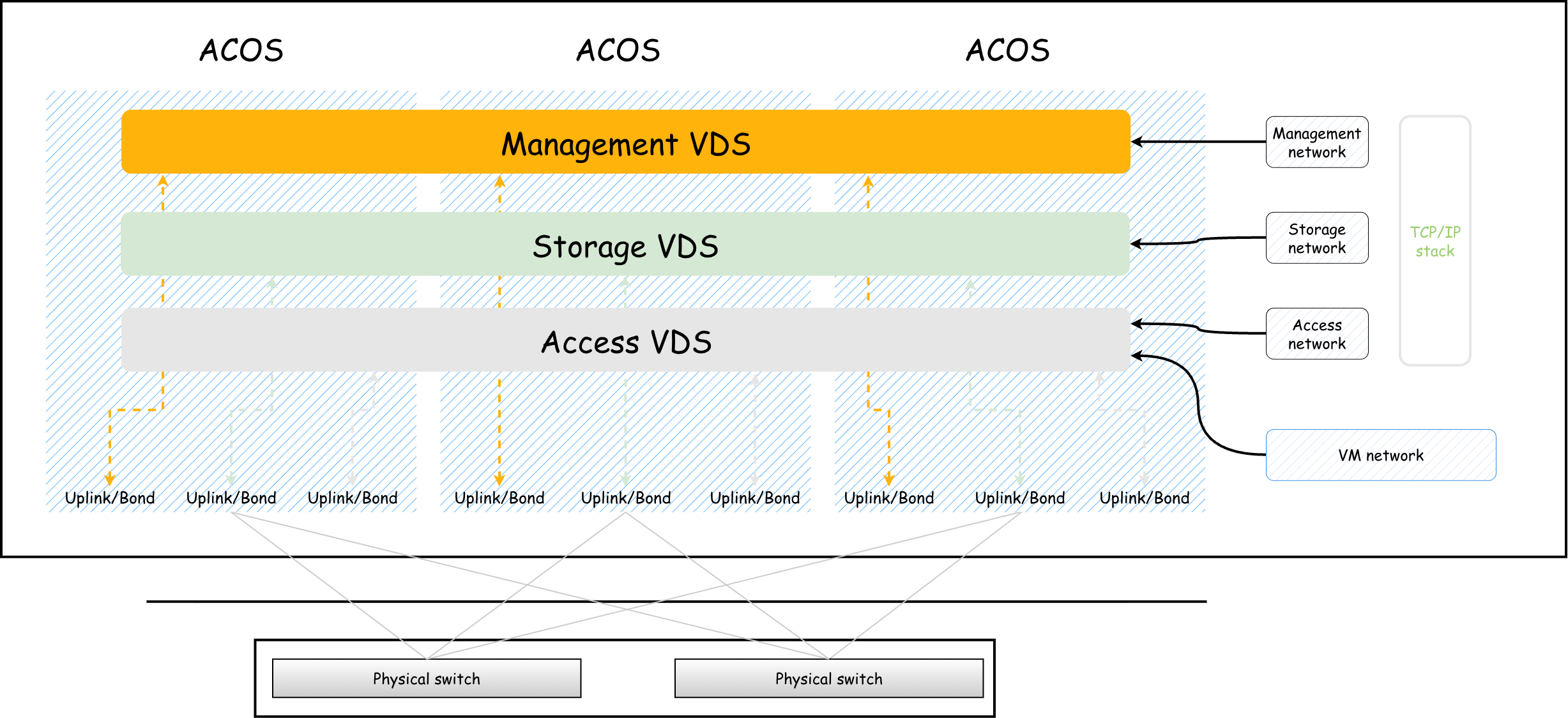
One VDS for multiple system networks means that multiple ACOS system networks can use the same VDS, and VM networks can also use the VDS of system networks. Multiple networks can share the bandwidth of one or more physical network ports associated with the VDS. In one VDS for multiple system networks mode, for system networks and VM networks that use the same physical network ports, administrators can use QoS policies to control egress traffic of different networks. For example, administrators can set the priority and weight of the network traffic during VDS forwarding, the reserved bandwidth for the network, and the maximum bandwidth limit.
To quarantine different networks on the same VDS, allocate different VLANs to different networks. In addition, to ensure that the physical network can properly forward traffic of all networks on the VDS, set the switch ports connected to the physical network ports to VLAN Trunk mode and ensure that the VLAN Trunk contains the VLANs configured for all system networks and VM networks.
