Log in to the Duo platform. In the left sidebar of the administration page, click Applications to enter the Applications page. Click + Add Application to enter the configuration page.
Enter SAML in the search box and select the Generic SAML Service Provider template. Click Add to complete the addition.
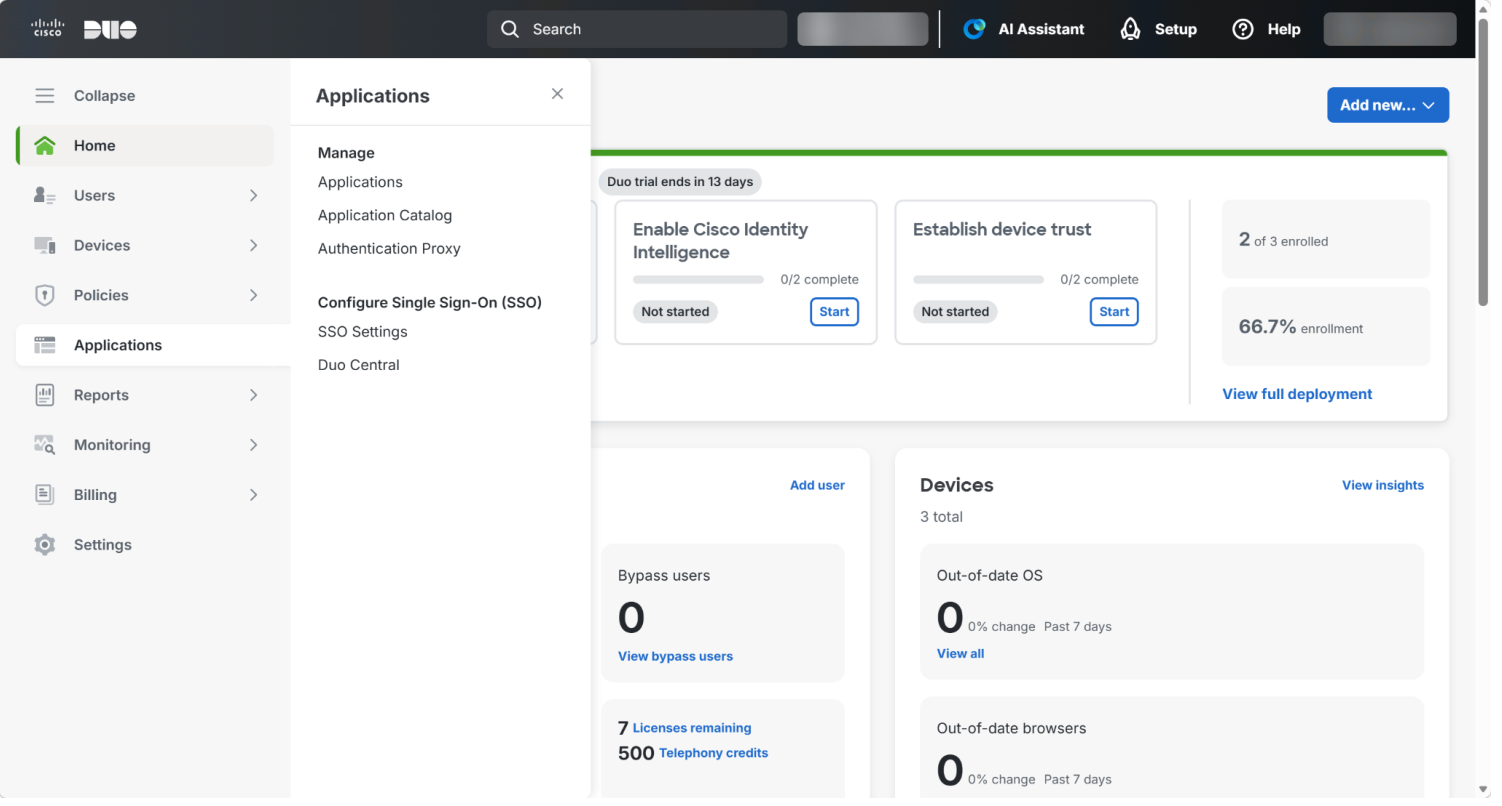
Configure the basic information for the IdP:
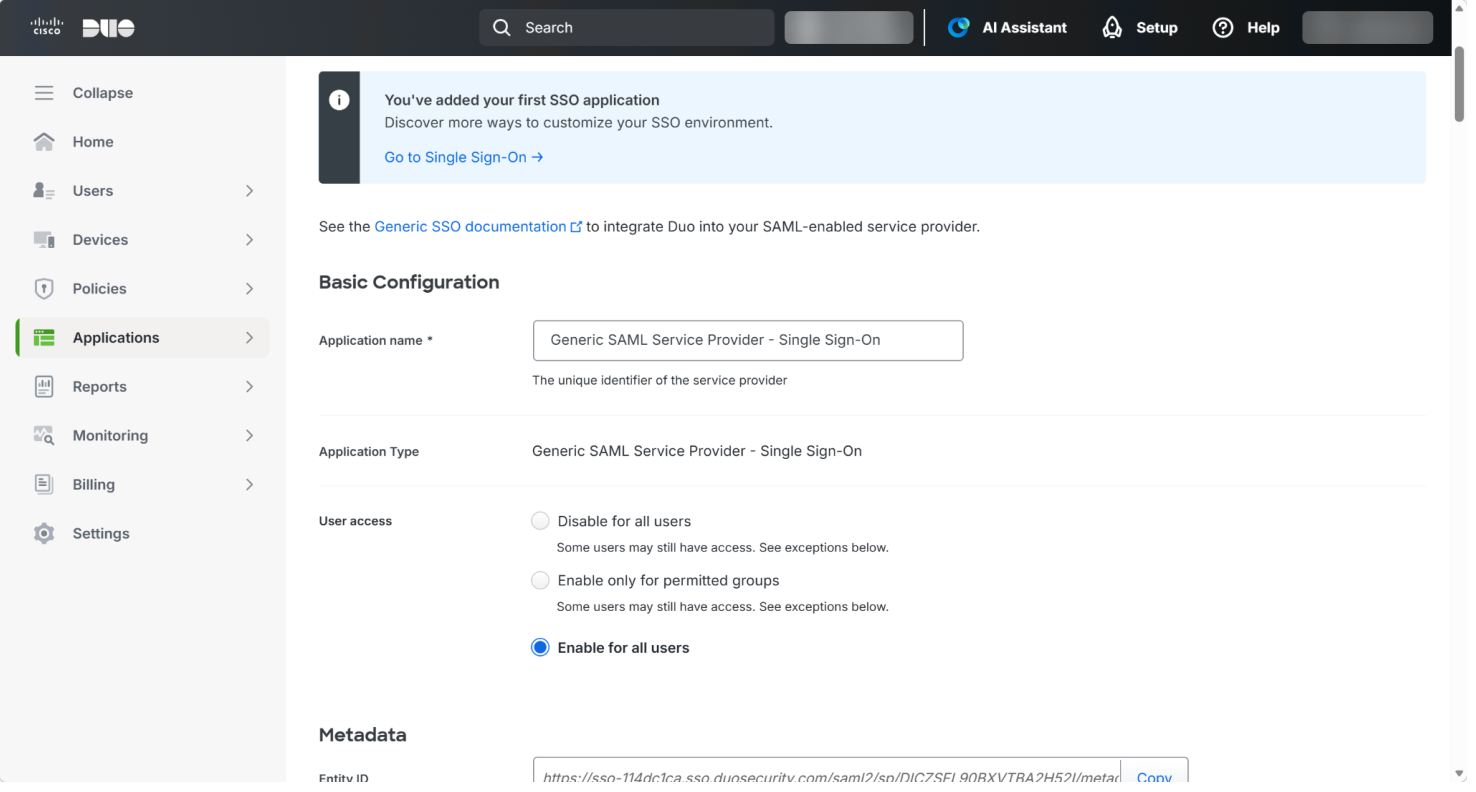
Import the AOC SP metadata file obtained in advance.
In the Service Provider section, set Metadata Discovery to Metadata XML file, and upload the previously obtained AOC SP metadata file.
After the file is uploaded, the metadata file information will be automatically populated into the corresponding parameter fields.
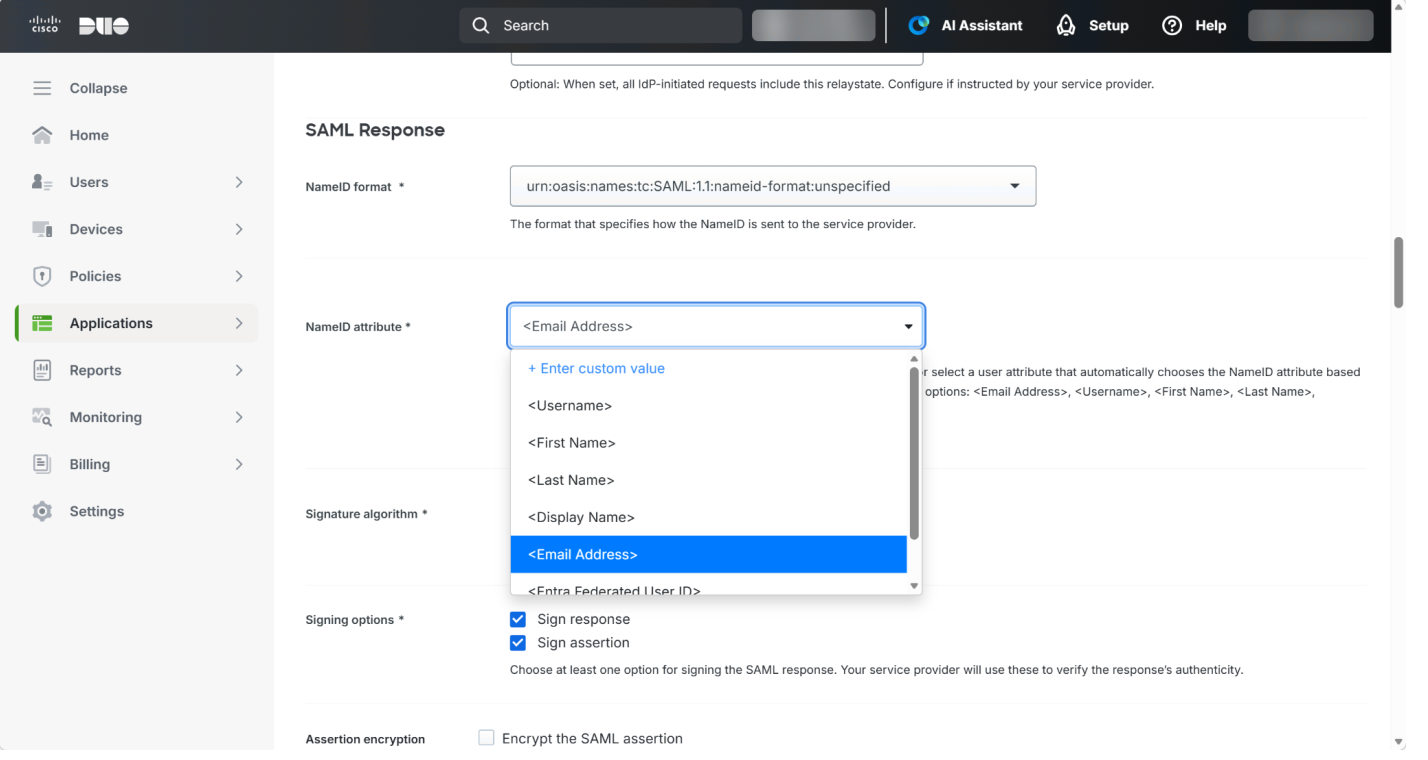
Configure SAML Response:
NameID attribute: Select an attribute that uniquely identifies a user, such as <Email Address>. This field will be used as your login name in AOC.
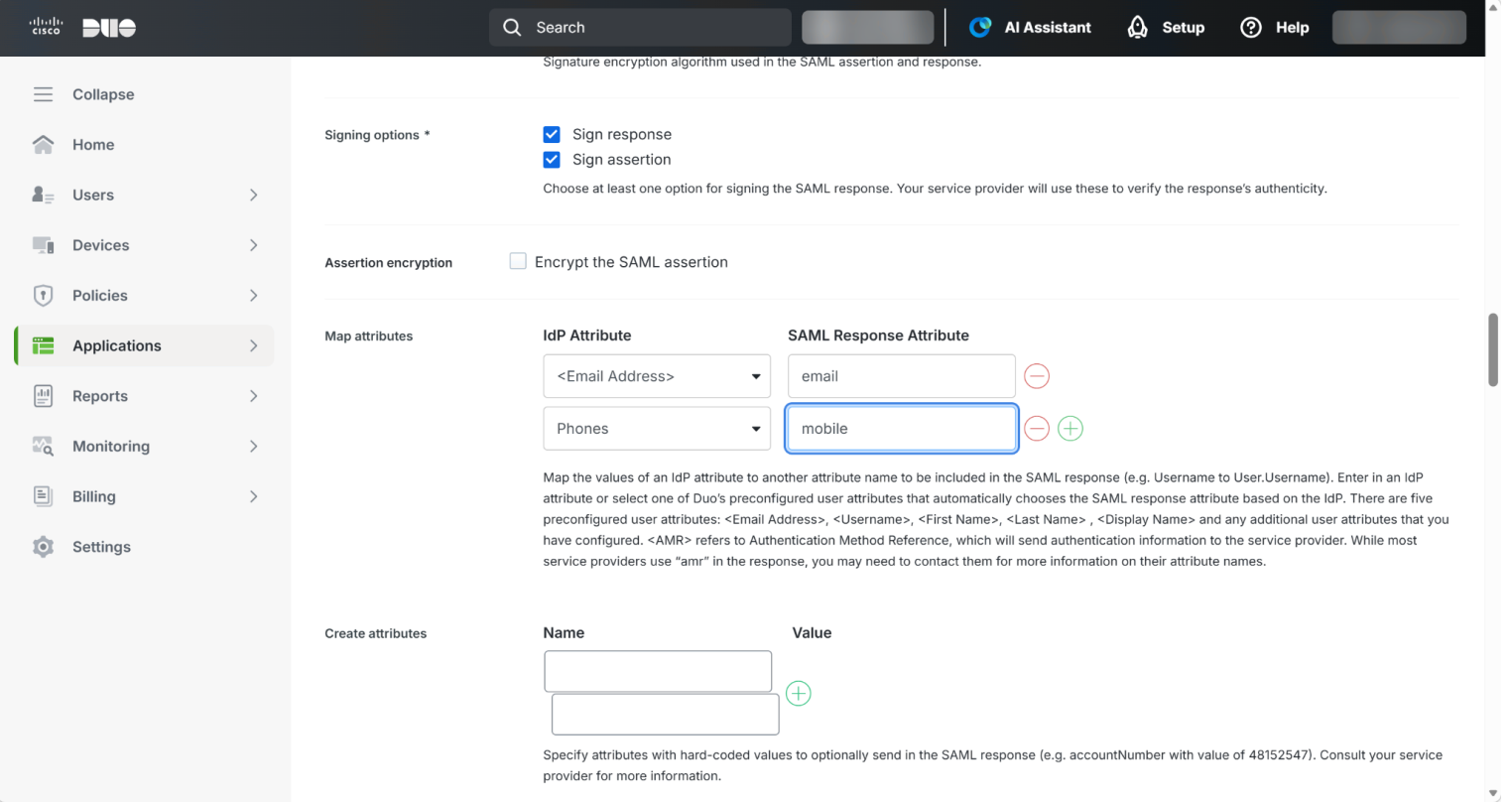
Map attributes: Add attribute mappings to map IdP attribute names to AOC attribute names.
| IdP attribute | SAML response attribute |
|---|---|
| <Email Address> | |
| <Phone Number> | mobile |
Export the IdP metadata file.
In the Downloads section, click Download XML or Copy XML next to SAML Metadata to export the metadata file.
Click Save to complete the Duo platform configuration.
