If GPU devices are required in the workload cluster, the following requirements must be met.
When creating a VM-based workload cluster or editing a worker node group of a workload cluster, you can configure GPU devices for the worker node group of the VM-based workload cluster, and the system will automatically mount the configured GPU devices on each node within the node group. Within the same node group, you can only select one GPU mode, either passthrough or vGPU. Before proceeding, it is necessary to meet the following requirements for using GPU devices.
The ACOS cluster where the VM-based workload cluster is located should have hosts that are mounted with the GPU devices, and the GPU model is supported by the ACOS cluster. For the supported GPU model list, refer to the Management > Managing Arcfra Cloud Operating System clusters > Managing hardware on a host > Managing GPU devices section of the corresponding ACOS version.
Note:
The following table lists some GPU models recommended by NVIDIA for cloud-native scenarios, which you can refer to when choosing the GPU model to use in the AKE workload cluster.
Model Recommended usage by NVIDIA Scenario Tesla V100-PCIE-16GB Passthrough, vGPU AI training, machine learning, high-performance computing Tesla V100-PCIE-32GB Passthrough, vGPU AI training, machine learning, high-performance computing Tesla T4 Passthrough, vGPU Machine learning, distributed AI training and inference, video transcoding A100 Passthrough, vGPU AI computing, high-performance computing A30 Passthrough, vGPU AI inference, high-performance computing A10 Passthrough, vGPU AI inference, graphics or video rendering
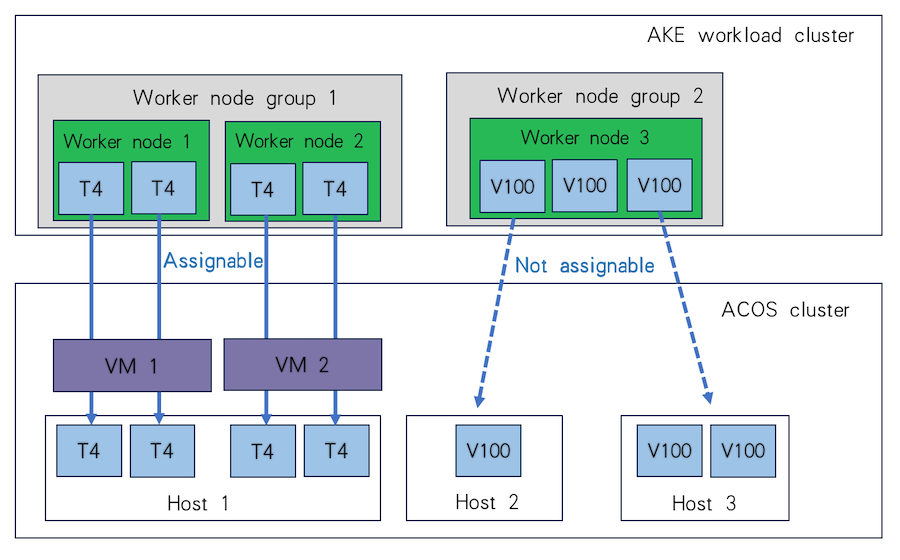
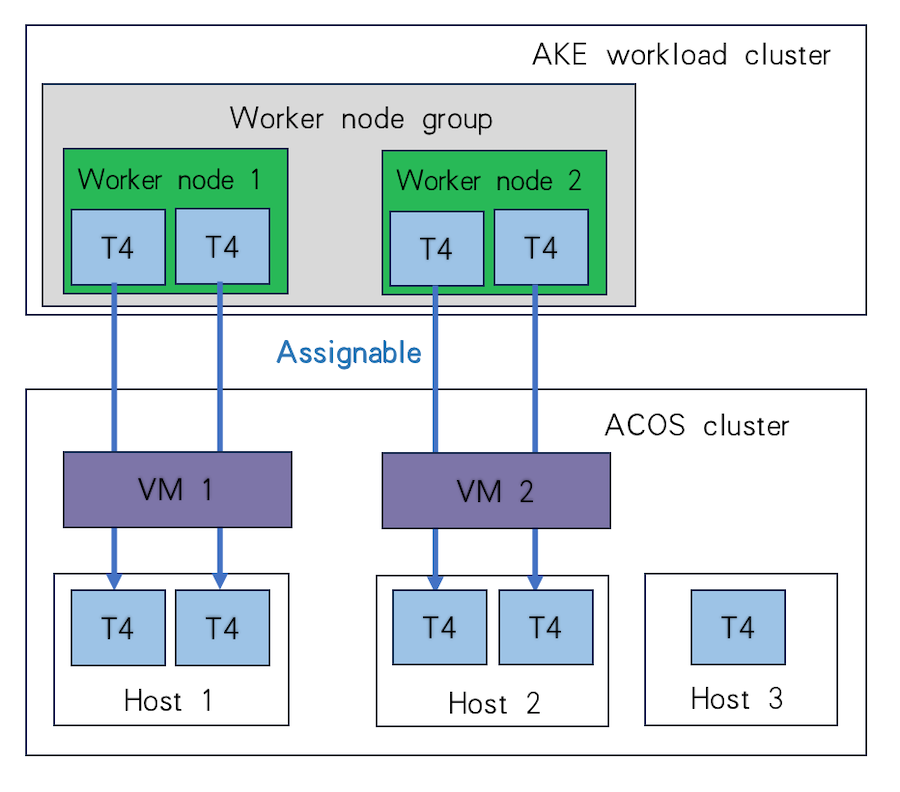
When planning the GPU devices for each worker node group, you can assign multiple GPU passthrough devices of different models to the same worker node group, while it is recommended to assign only one model. Additionally, to ensure that all worker node virtual machines can be created and started as expected, you first need to ensure that the hosts of the ACOS cluster where the VM-based workload cluster is located have sufficient computing resources, storage resources, and GPU devices.
For example, if there are 2 worker nodes in the VM-based workload cluster, each mounted with 2 Tesla T4 GPU passthrough devices, these two nodes can either run on the same host and share 4 Tesla T4 GPU passthrough devices, or run on separate hosts and utilize 2 Tesla T4 GPU passthrough devices on each, as illustrated in the diagrams below.
When planning the GPU devices for each worker node group, you can assign multiple vGPUs to the same worker node group only if the following requirements are met:
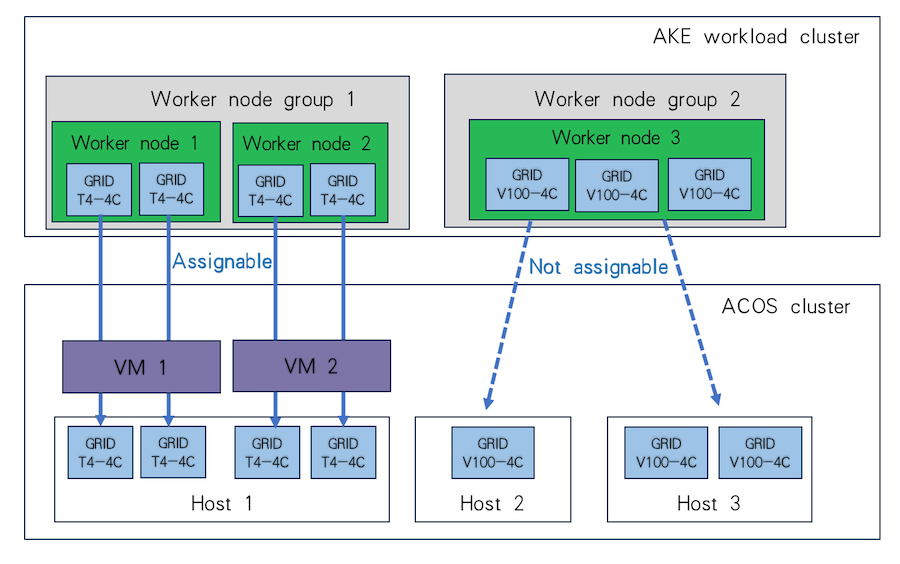
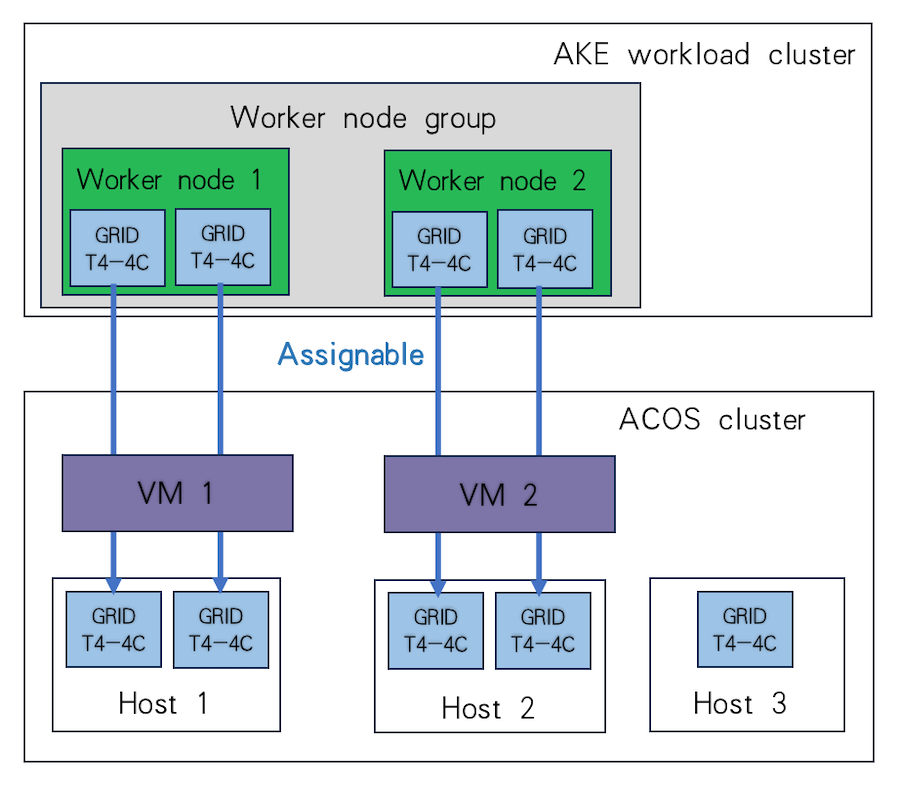
The same worker node group can be only mounted with vGPUs of the same model and slicing specification.
To ensure that all worker node virtual machines can be created and started as expected, you first need to ensure that the hosts of the ACOS cluster where the VM-based workload cluster is located have sufficient computing resources, storage resources, and GPU devices.
For example, assuming there are 2 worker nodes in the VM-based workload cluster, each configured to mount 2 vGPUs of the Tesla T4 model (specification: GRID T4-4C), these two nodes can run on the same host and use 4 vGPUs of this type on it, or they can run on two separate hosts and use 2 vGPUs of this type on each, as shown in the figure.
When creating a physical-machine-based workload cluster or editing the worker node group of a cluster, you can select physical machines with GPU devices mounted for the worker node group. The model of the GPU devices mounted on the physical machine should be one supported by the ACOS cluster. For the supported GPU model list, refer to the Management > Managing Arcfra Cloud Operating System clusters > Managing hardware on a host > Managing GPU devices > Requirements for using GPU passthrough section of the corresponding ACOS version.
Note:
The following table lists some GPU models recommended by NVIDIA for cloud-native scenarios, which you can refer to when choosing the GPU model to use in the AKE workload cluster.
Model Recommended usage by NVIDIA Scenario Tesla V100-PCIE-16GB Passthrough, vGPU AI training, machine learning, high-performance computing Tesla V100-PCIE-32GB Passthrough, vGPU AI training, machine learning, high-performance computing Tesla T4 Passthrough, vGPU Machine learning, distributed AI training and inference, video transcoding A100 Passthrough, vGPU AI computing, high-performance computing A30 Passthrough, vGPU AI inference, high-performance computing A10 Passthrough, vGPU AI inference, graphics or video rendering
