Procedure
Log in to the Duo platform. In the left sidebar of the administration page, click Applications and select Management > Applications to enter the Applications page. Click + Add Application to enter the configuration page.
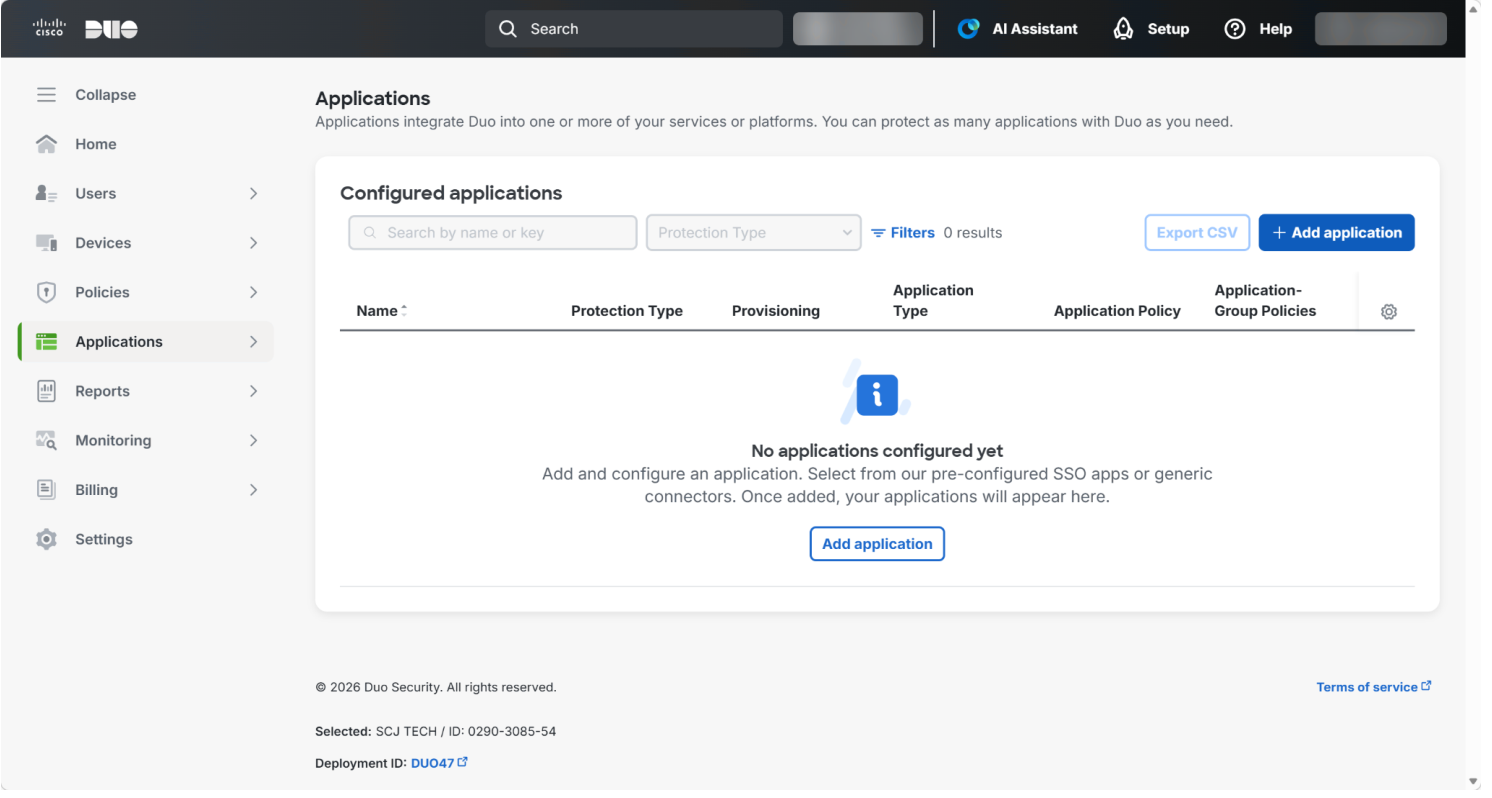
Enter OIDC in the search box and select the Generic OIDC Relying Party template. Click Add to complete the addition.
Configure the basic information for the IdP:
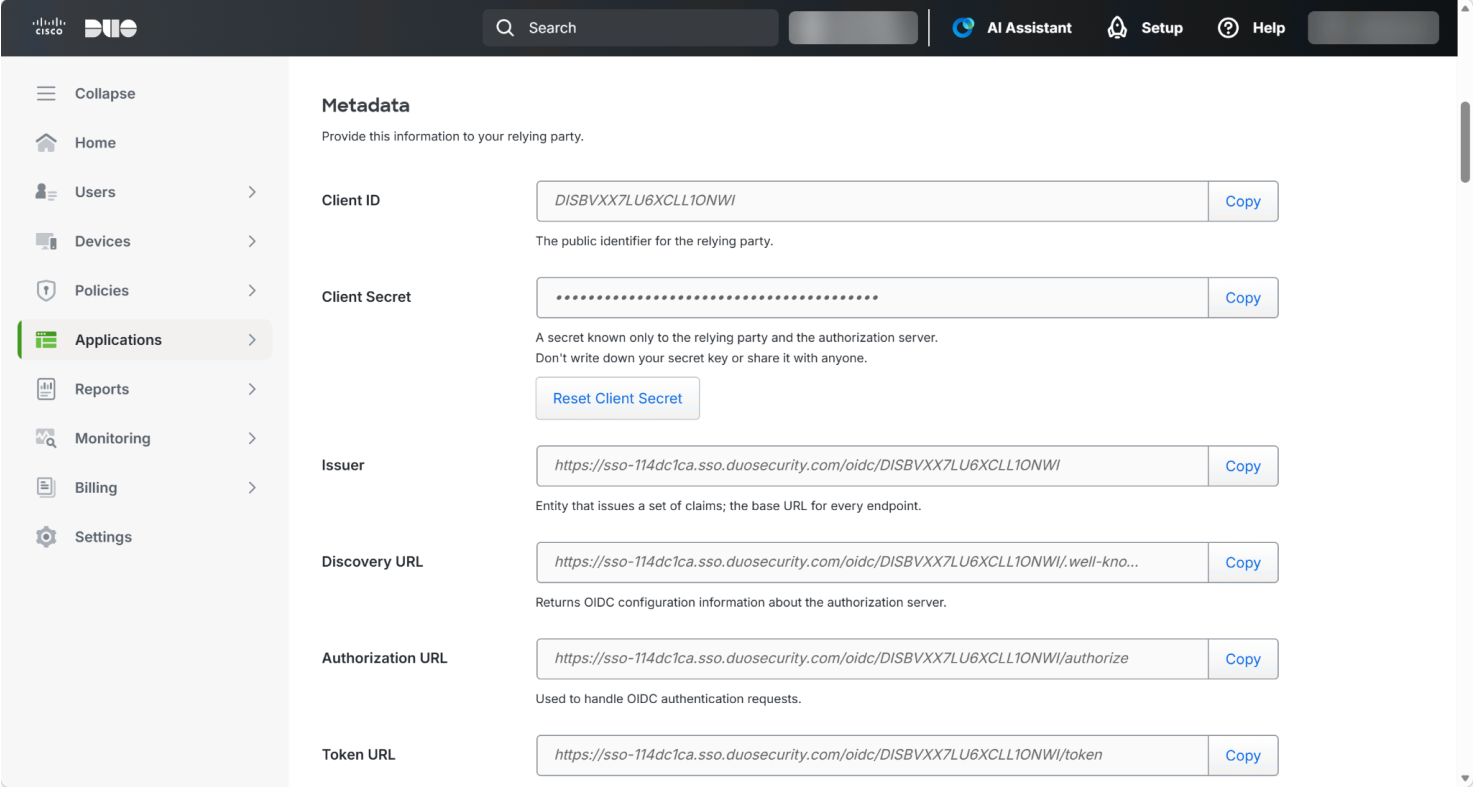
AOC-OIDC.Record the metadata information.
In the Metadata section, record the following information:
In the Relying Party section, configure the following parameters:
https://tower_url/api/sso/oidc/callback, where tower_url should be replaced with the actual AOC URL.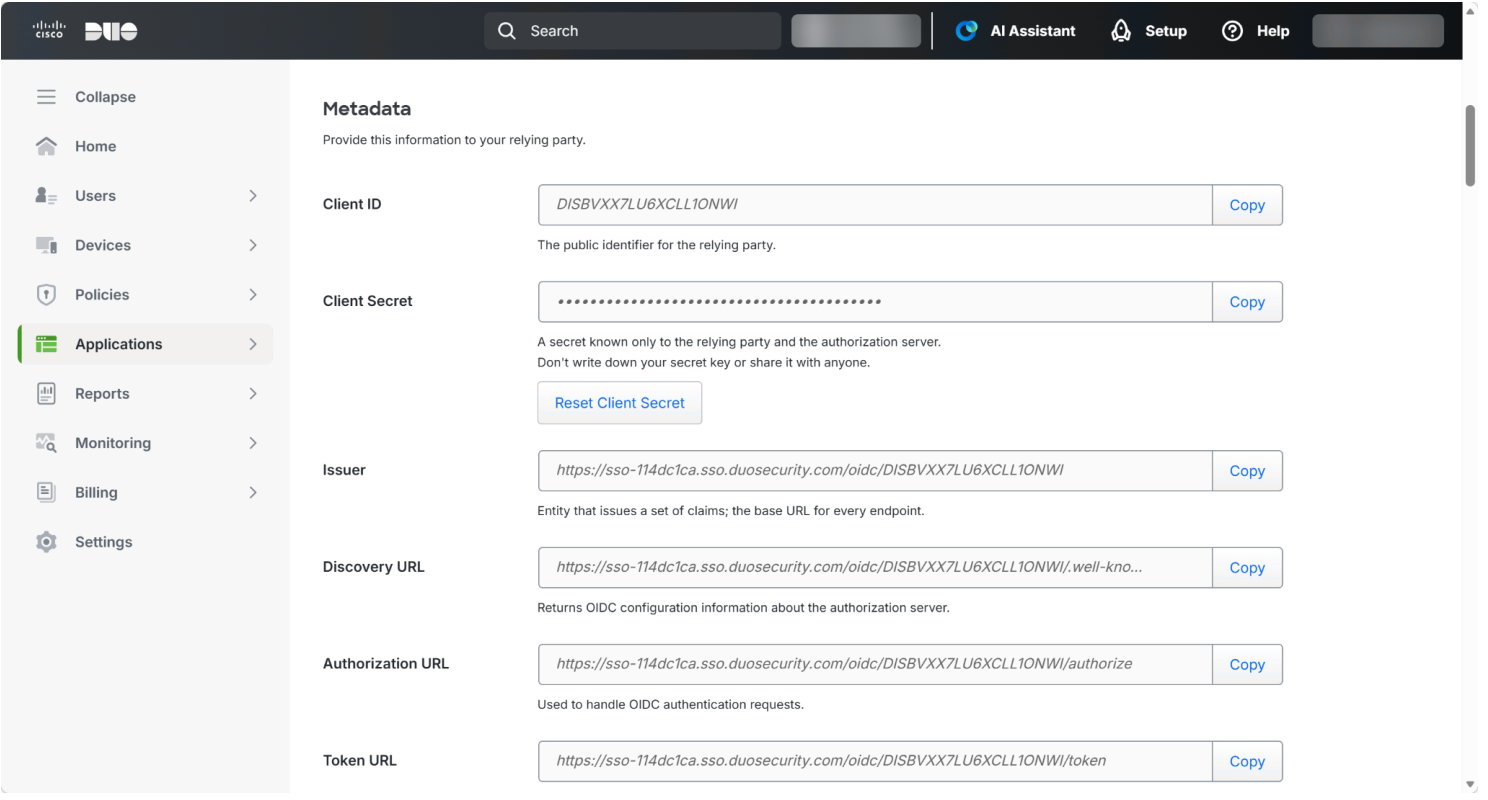
In the OIDC Response section, configure Scopes and Claim.
openid, profile, and email.Scope, the system automatically creates the corresponding Claim. No manual configuration is required.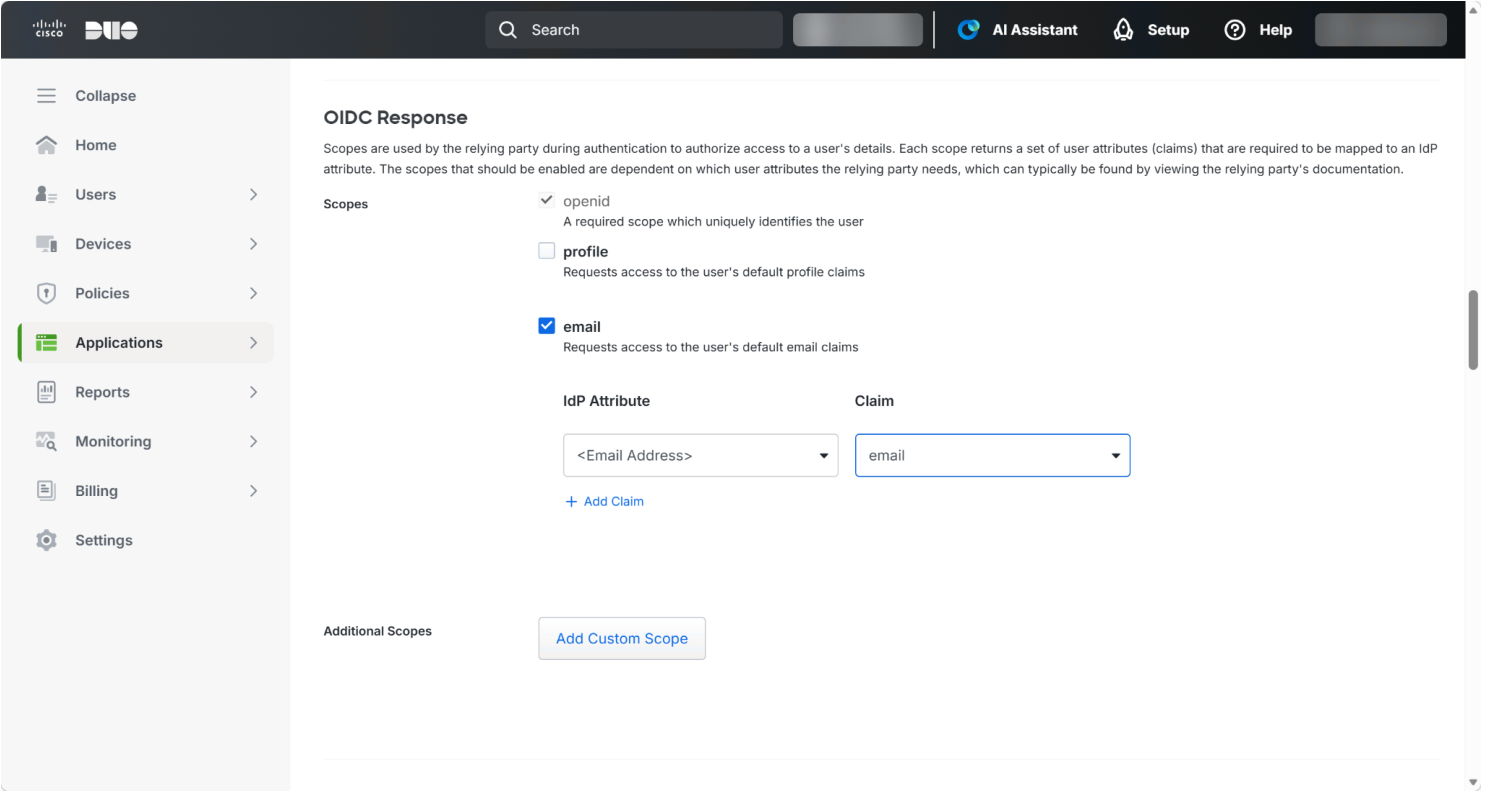
Click Save to complete the Duo platform configuration.
