Snapshots can provide protection and agility for VMs such as:
A VM Snapshot is a point-in-time image of a virtual machine's state, including its disk, memory, and configuration.
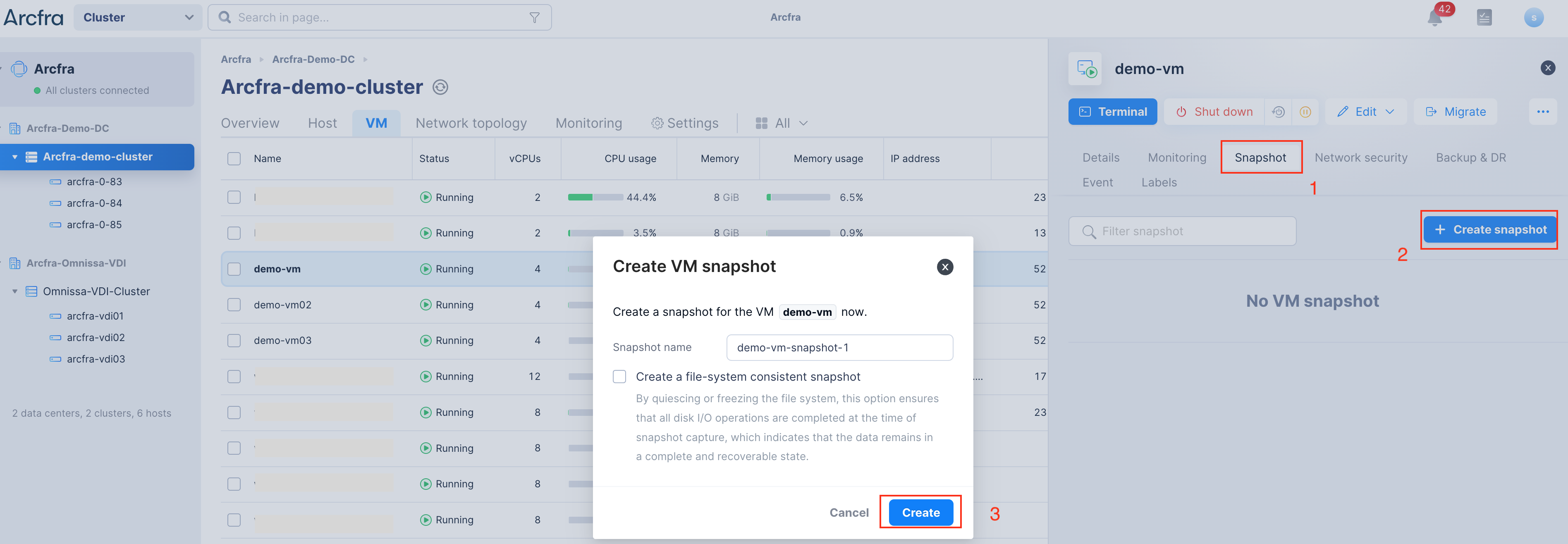
Single snapshot creation: Select a single VM, click Snapshot, then click Create snapshot, and then input the Snapshot name to Create it.
Create Snapshot plan: If you want to create multiple snapshots for your VM on schedule, you can use this feature. On the Snapshot plan page in AOC, click Create snapshot plan.
Enter the snapshot name and select the cluster that hosts the VMs to be added to the snapshot plan.
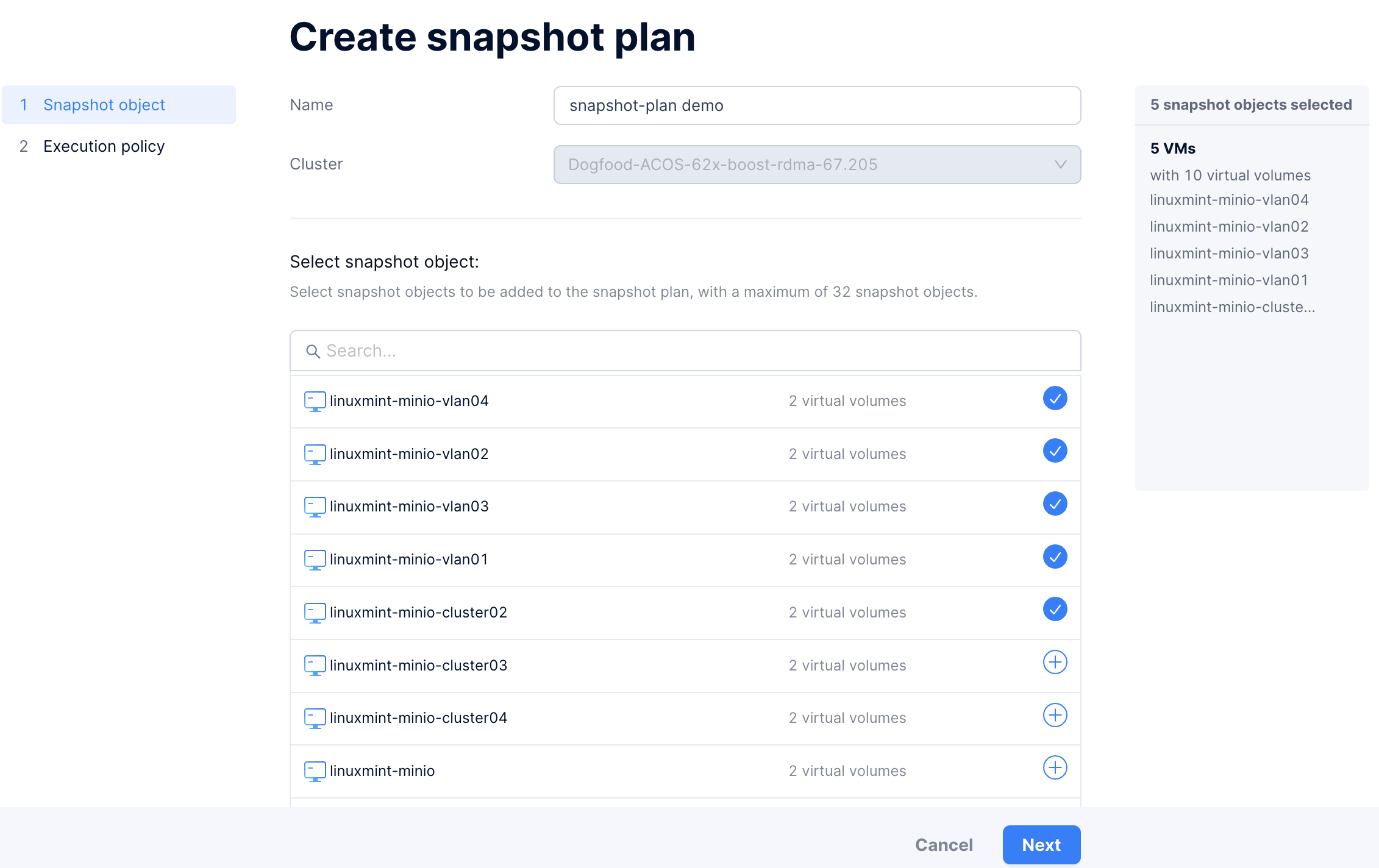
Select one or more virtual machines to add to the snapshot plan. Then, click Next.
Note:
A snapshot plan can include a maximum of 32 virtual machines.
Configure the snapshot execution policy and retention policy, click Create the snapshot plan.
You can either manually execute a snapshot plan by clicking Execute, or allow it to run automatically based on the configured policy.
