Now that you have a VM template, you can create a virtual machine from the template.
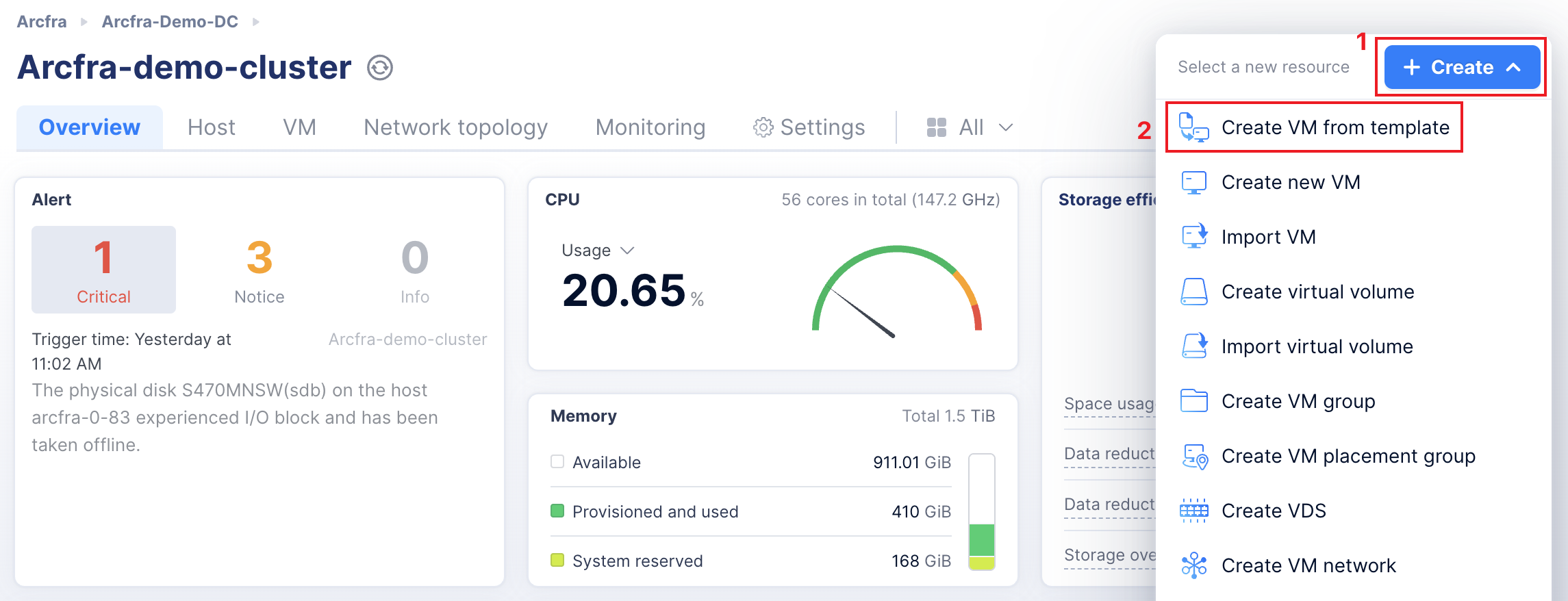
- In the left sidebar of the AOC homepage, select an organization, data center, cluster, or host to access the corresponding page. On this page, click + Create in the upper right corner and then choose Create VM from template to open the Create VM from template.
- Select a VM template, fill in the numbers (input 3 for example) of VM and other basic configuration information of the VM. Once finished, click Next.

- Fill in the remaining VM configuration details, including vCPU, Memory, vDisk, Network and other relevant settings.
- Once all the configuration information is filled in, click Create VM. When the creation is completed, you can check the task progress and verify whether the creation is successfully in the task center.
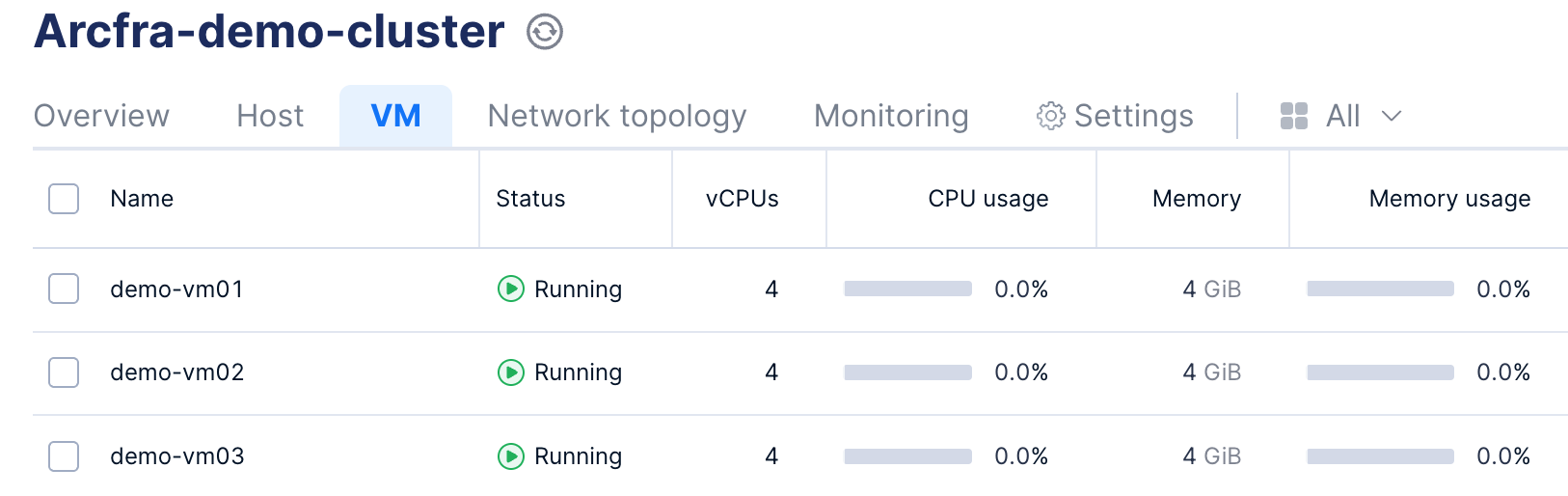
Congratulations! Your first VM in AECP has been successfully created!
